Calendar
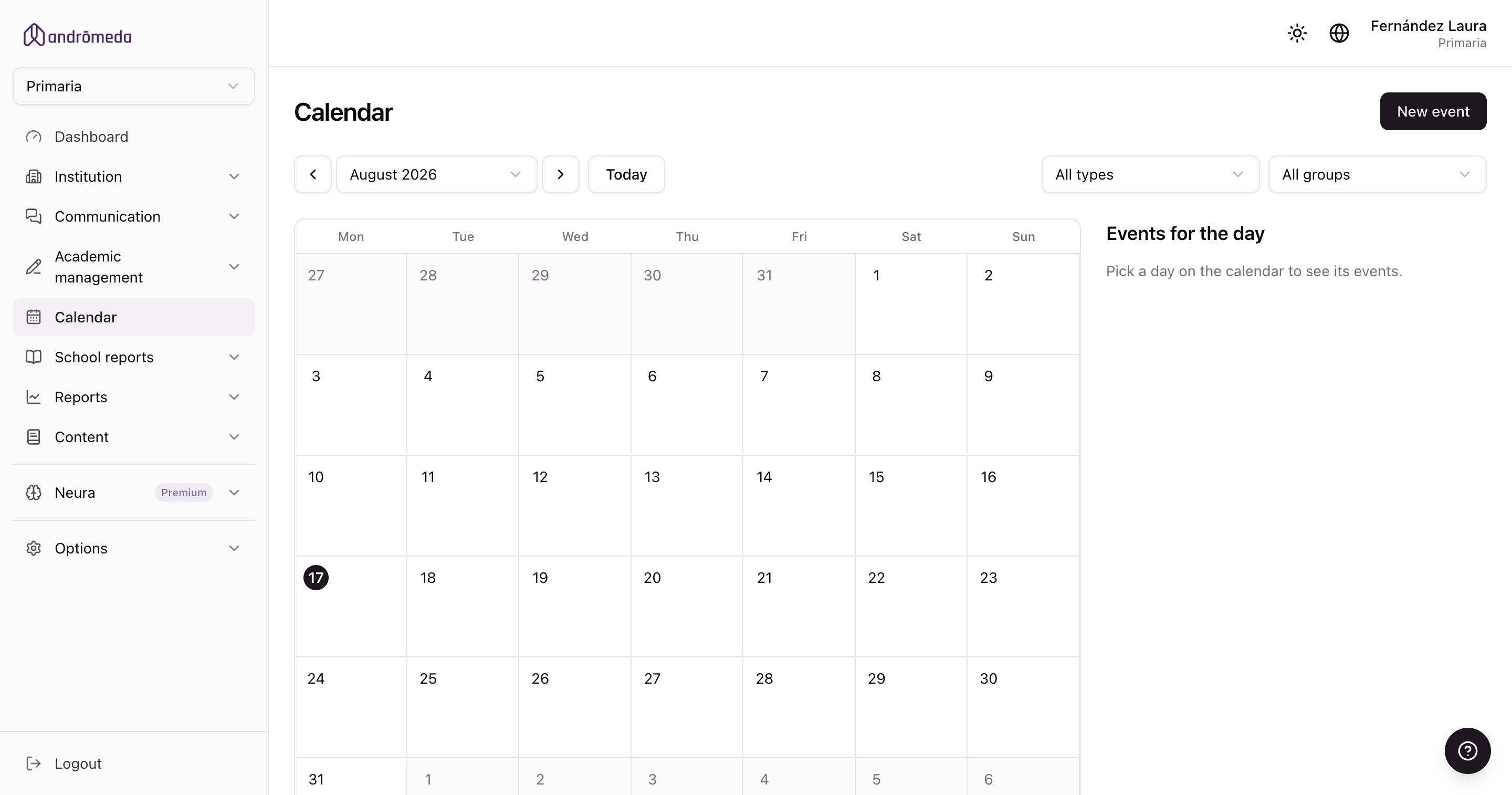
The calendar shows the level's month with everything teachers add from the app: tests, meetings, workshops and activity deadlines.
It's the screen that answers "what's on this week?" without having to ask anybody.
How to read it
- Each coloured dot on a day is an event.
- Clicking a day opens its events alongside, with the detail.
- The month you want to look at is chosen at the top.
The selector doesn't offer a fixed range: it reaches as far back as the events loaded in the level. If you have events from 2021, you can go there.
Event types
The ones teachers add from the app: tests, meetings, workshops, trips and so on, depending on what your school uses.
There's also a special one: Activity deadline.
Deadline events
Events of type Activity deadline are generated by the corresponding activity. They appear in the calendar but without edit buttons, and with a link to the activity that created them.
That's deliberate: the event's date and the activity's date must be the same. If they could be changed separately, they'd drift apart. To move the date, edit the activity.
They're the bulk of what you'll see: at an active school, around eight in ten calendar events are deadlines.
For the same reason, "Activity deadline" can't be chosen when creating an event by hand: a deadline event with no activity behind it wouldn't mean anything.
Creating an event
Click the day and, in that day's panel, click New event: the date comes already filled in. You choose:
| Field | Notes |
|---|---|
| Title | What it is. |
| Type | Test, meeting, workshop… |
| Date and time | When. |
| Groups | Which of the level's groups it appears for. |
| Teachers only | If ticked, families don't see it in the app. |
Teachers only
Events marked this way aren't visible to families. They're for internal matters: a staff meeting, a marks deadline.
In the panel they're marked with a badge, so you can tell at a glance what's public and what isn't.
Groups are what decide
An event is shown to the groups you choose. There are no level-wide events: they're always directed at one or more groups.
It's the same as with messages and the wall.
What the calendar doesn't do
Creating an event from the panel doesn't notify anyone at the time. The app reminds students about it on its own.
If something is important and you want them to know now, send a message as well. → Sending a message
Not to be confused with Events
They're two different sections, and families see them separately too:
| Calendar | Events | |
|---|---|---|
| Who adds it | Teachers, from the app | The school, from the panel |
| What it covers | The group's academic life: tests, deadlines, workshops | Institutional matters: ceremonies, trips, general meetings |
| Scope | Per group | Per group, but meant for general matters |
| Has image and map | No | Yes |
