Billing
Billing is where you see your school's plan, what you're charged and the invoices issued. It's in Manage school mode, so the school administrator is the one who sees it.
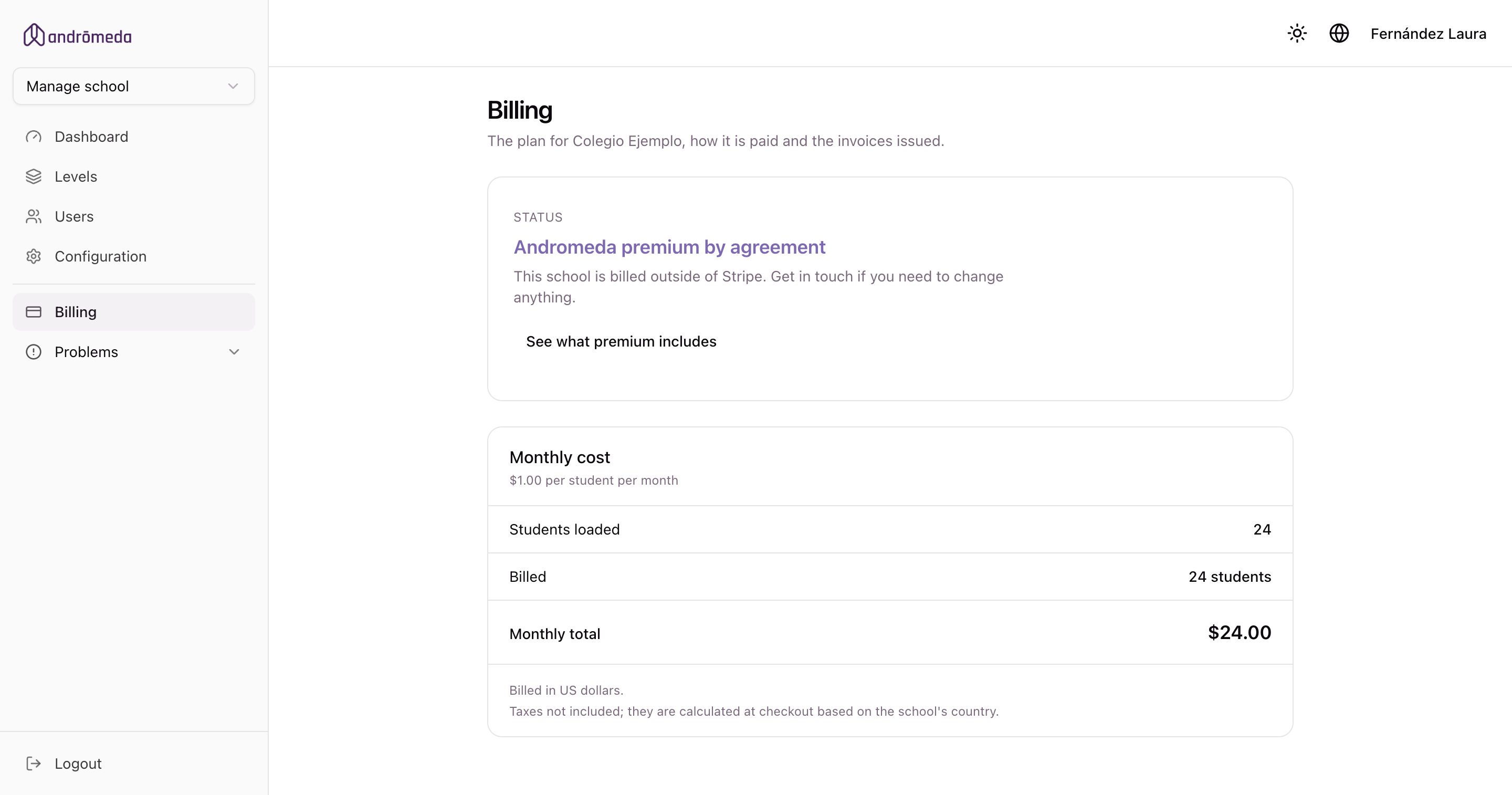
Your school's status
At the top it shows which of these situations you're in:
| Status | What it means |
|---|---|
| Free plan | No subscription. You can start the trial or subscribe. |
| Pro plan trial or Max plan trial | The trial is running. It tells you how many days are left and until what date. |
| Pro plan or Max plan | The subscription is active and renews monthly. |
| Pro plan by agreement or Max plan by agreement | Your school is billed outside the system. To change anything, get in touch. |
| Subscription canceled | You keep your plan until the date already paid for. |
How the price is calculated
It's simple: an amount per student per month.
- The quantity comes from the students you have on file, and adjusts itself as you add or remove them.
- There's a cap: beyond a certain number of students, the invoice stops going up no matter how many more you add.
- The screen shows you the students on file, how many are billed, and the total.
You don't have to do anything. If you add thirty students today, tomorrow the subscription accounts for them, and the difference is prorated within the month.
The currency
It comes from the school's country: euros within the European Union, dollars elsewhere. The screen tells you which applies to you.
They're calculated at checkout, according to the school's country.
Subscribing
Under Choose your plan you see what Pro and Max cost for your school. The Subscribe to Pro or Subscribe to Max button takes you to Stripe, who process the payment, to enter your card. You can cancel whenever you like.
Not sure which one suits you? See what each plan includes takes you to the comparison.
→ Plans
After paying, the screen says "we're confirming your payment" while it waits for confirmation. That's normal, and usually resolves in seconds.
If it doesn't confirm, get in touch and we'll sort it out.
Changing plan
Once the subscription is active, the same section becomes Change plan and offers you Move up to Max if you're on Pro, or Go back to Pro if you're on Max.
The change is immediate: the new plan's sections appear (or disappear) right away. Stripe prorates the difference: moving up mid-month is charged from that day, and moving down leaves a credit for the next invoice.
If you go back to Pro, whatever you entered in the Max sections stays saved and reappears if you move up to Max again later.
Managing the subscription
The Manage subscription button opens the Stripe portal, where you can:
- Change the card.
- See the charges in detail.
- Cancel the subscription.
You keep your plan until the end of the month you've already paid for. Only then does the school return to the free plan, without losing anything loaded.
Invoices
They're listed with their date, total and status —paid or pending—, and each one can be downloaded as a PDF.
It's the documentation administration usually asks for, so you don't need to request it from us.
The emails you'll receive
| When it arrives | |
|---|---|
| Welcome to the plan | When the subscription is confirmed. Details what's been enabled and what's billed. |
| Trial ending notice | A few days before the free trial ends. |
They go to the school's mailbox and to each administrator's, which aren't always the same.
Common problems
«Pricing isn't configured for your currency yet»
A rare case that we resolve on our end. Get in touch and we'll set it up.
«This school already has an active subscription»
It's already subscribed. Use Manage subscription rather than subscribing again.
I can't download an invoice
Try again in a few minutes. If it still won't work, get in touch with the invoice's date.
We're billed by agreement and want to change something
Schools on a plan by agreement are billed outside the system, so we make the change. Get in touch.
